

For an MSP evaluating a small internal app, “it exists” is not a useful operating status.
You need to distinguish the saved project, the preview, the reviewed runtime plan and the process that is actually running. Each answers a different question. Confusing them can make an experiment look more complete than the evidence supports.
The following is a planned walkthrough based on the documented Noodle Build workflow, not a claim that these steps were executed for a customer.
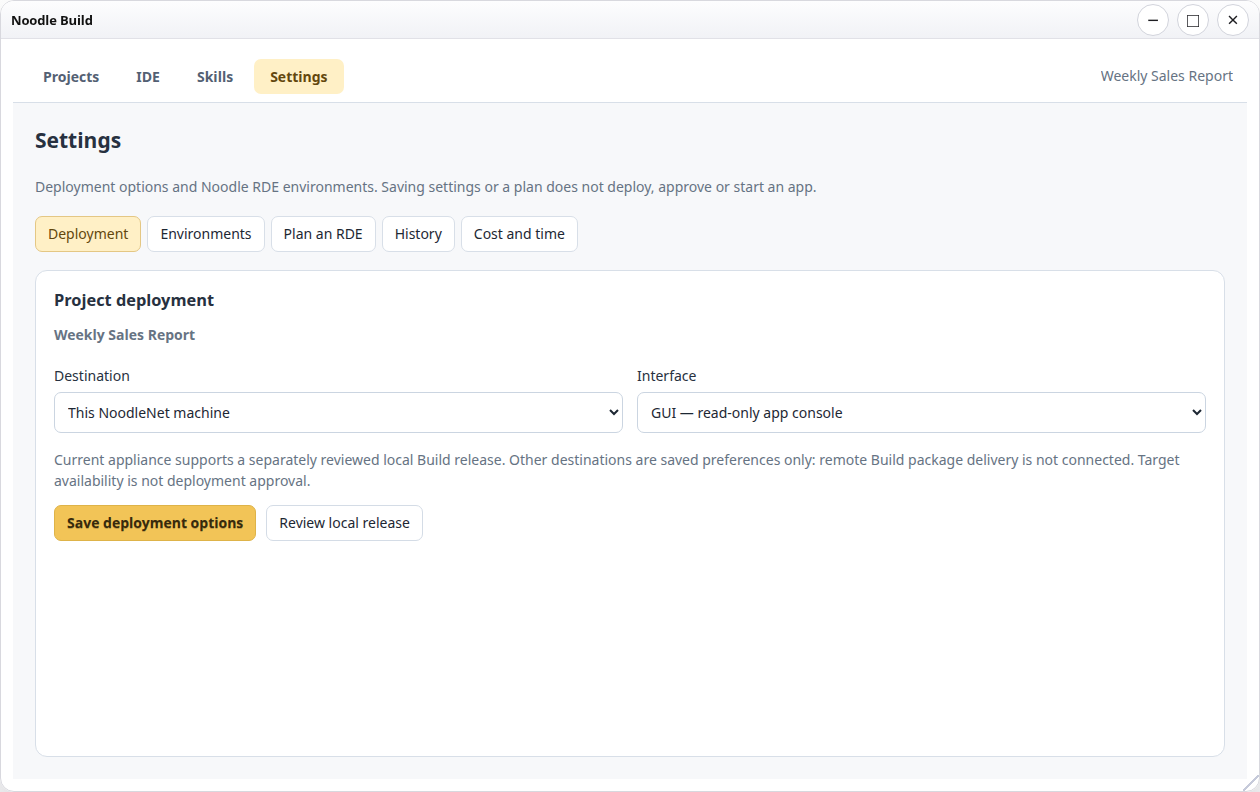
Settings are separate from review, approval and Start. A remote destination preference is not completed remote delivery. Controlled test session; fictional examples.
Start with saved source
Use a harmless example project and inspect its files. Identify the version you intend to examine before starting anything.

AI-generated editorial illustration—not product hardware or a screenshot.
The documented source package is a versioned archive of source. It is not a container image, proof of deployment or a complete record of everything in the project folder. In particular, project usage history is not evidence that an exported app has been delivered elsewhere.
For a handoff, record what was exported and what the next operator would still need. An archive with a reassuring filename is not a substitute for that explanation.
Treat preview as its own operating choice
The documented preview loads saved flows into a shared, separate preview engine. Timers may run when those flows are loaded. Applying an agent change can also affect preview behavior.

AI-generated editorial illustration—not product hardware or a screenshot.
That makes preview useful for examination, but not consequence-free. Review the example and any scheduled behavior before loading it. Keep customer connectors and real recipients out of an exploratory walkthrough.
A screen that opens proves less than a known example producing the expected result. Record what was actually checked instead of calling the whole app tested.
Review the exact local plan
The documented local workflow creates a frozen source/runtime plan. Review its scope, intended behavior and scheduled triggers. An approval should identify the exact version and plan it covers.
Approval is separate from Start. If the project changes, establish whether the earlier review is still valid before running the changed version.
The useful evidence is a chain: inspected source, agreed example, reviewed plan and explicit decision to run. None of those should be inferred from the presence of the next button.
Verify the process, including Stop
The documented local runtime gives each started app a separate process, local port and state. Its project-specific Stop control is intended to affect that app rather than the other projects.
In an actual check, confirm the expected process starts in the intended environment. Then confirm the stop action really ends that process. A screenshot of a stop button alone does not prove stopping worked.
This article does not report a customer runtime check as completed. The release evidence uses controlled test sessions and fictional examples. That is useful implementation evidence, but it does not establish a real owner/model journey or a customer deployment.
Keep local and remote evidence separate
A local process in the tested environment is not delivery to a customer site. Remote destination records and planning screens are not a completed delivery adapter. The remote-delivery path remains unfinished.
That boundary doesn't make a local trial useless. It tells the MSP exactly what has been demonstrated and which decision still comes next.
For the service-business side of this decision, read why Odoo consultants and MSPs still need a human filter. A runtime check and a support commitment answer different questions.
Want to explore an internal app without confusing a promising prototype with a supported client service? Let's grab a coffee and map the first checkable step.