A customer has signed. Sales calls the account ready. Operations is still missing the billing contact. Finance has a different customer name. An assistant has summarized the agreement, but nobody knows which version it read.
This is not primarily a shortage of intelligence. It is a shortage of shared context and clear authority. Connecting another model will not settle who owns the customer record or who can approve the handoff.
From a useful form to a useful relationship between systems
Visual Basic made it easier to construct an interface and attach behavior to events. Its 1991 launch announcement also described data front ends and integration between Windows applications. The historical lesson extends beyond drawing controls: useful software has to meet the systems where work already lives.
Modern AI-assisted work adds participants. A person interprets a customer's intent. An agent drafts a summary. A deterministic check tests required fields. A business application records the outcome. A reviewer authorizes the next action.
Interconnected Intelligence for Business means those participants can coordinate around the same work, with enough context to understand their role and enough control to respect their limits. Shared context does not mean unrestricted access to every document.
An illustrative onboarding workflow
The following is a design exercise, not a claim that this complete integration is a shipped NoodleNet template.
Start with one CRM customer identifier. Treat the CRM as the authority for the account identity and account owner. Keep the signed agreement in its approved document system. Create an onboarding task referencing both records rather than copying every field into a new, competing customer database.
An authorized assistant reads the permitted agreement and drafts a checklist: service scope, start date, required information and unresolved questions. Each proposed item references its source. A statement such as “billing contact missing” should distinguish an actual empty required field from a model simply failing to find it.
A deterministic check validates the required record fields. The account manager reviews the proposed checklist and the unresolved questions. Only after that review may the workflow request provisioning through an authorized connector. Provisioning success is confirmed by the destination system, not by an assistant saying that it sent a request.
Give each handoff a contract
For every transition, specify the input, permitted action, acceptance evidence and failure owner.
For example, the contract between review and provisioning might be: approved task revision plus customer ID goes in; a scoped provisioning request is allowed; the destination's operation ID and confirmed status come back. A timeout creates an unresolved operation, not an automatic second account.
Use a stable correlation identifier across the handoff. Before retrying, check whether the destination already accepted the first request. That is how a workflow avoids turning a temporary connection problem into duplicate work.
If a contract changes after review, invalidate the prior approval where the change affects the approved action. An approval belongs to a particular decision and input version, not to whatever data happens to be current later.
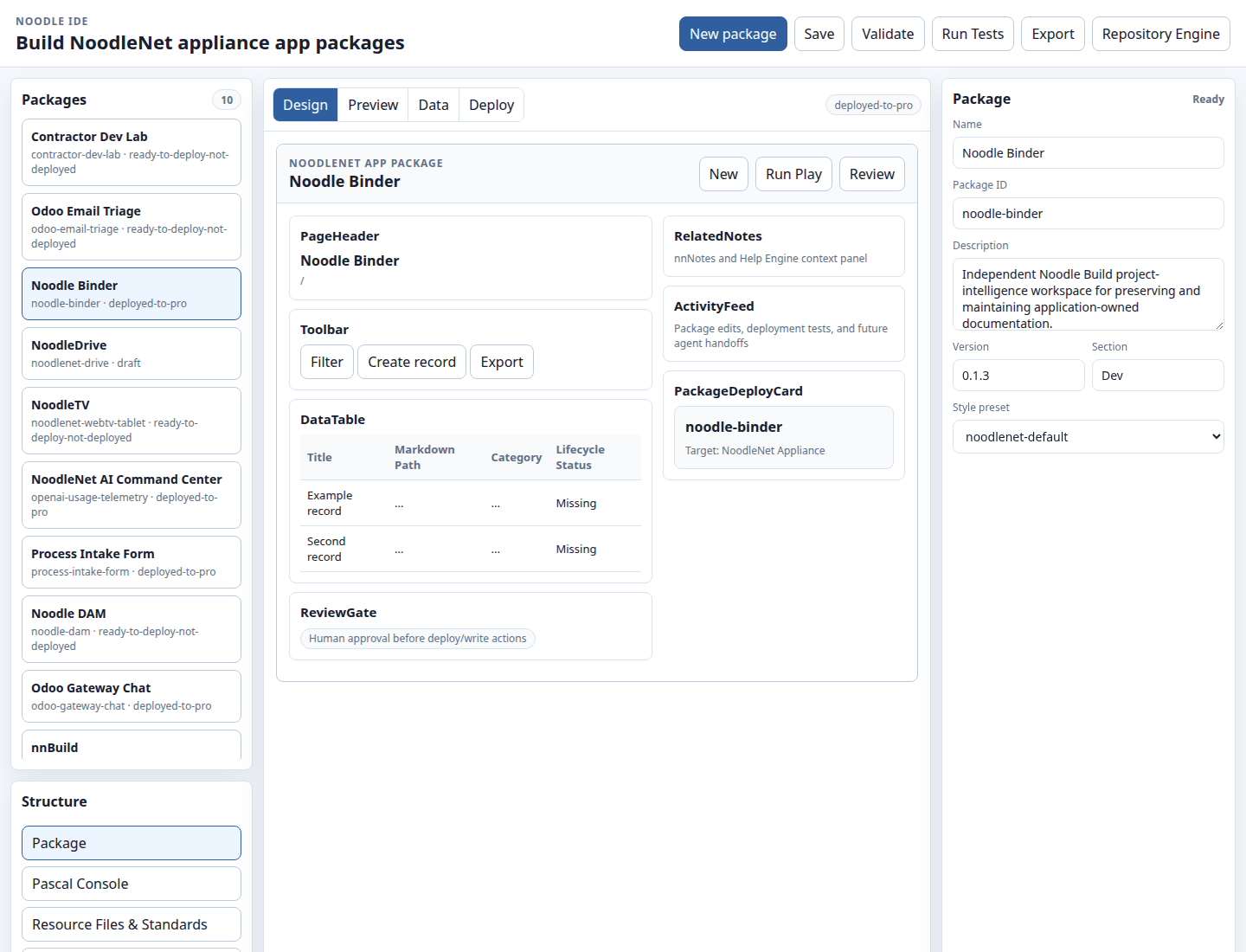
Product image: NoodleNet Pro Build, captured October 27, 2026. The selected Noodle Binder package is marked deployed-to-pro; the design canvas contains illustrative placeholder records, not live customer data. A visible review-gate label is not evidence that every integration enforces that gate.
What the current NoodleNet evidence establishes
The Pro environment's Build API responds and exposes application packages. The project system records tasks, statuses and activity. Its agent-trigger activity provides a concrete example of project context reaching an execution layer. The event API also exposes execution events with source identity, timestamps and status.
Those observations support a modest but useful claim: project state, construction assets and execution reporting can exist within the same working environment. They do not prove that every CRM connector is installed, that an onboarding process runs unattended, or that every approval rule is enforced across all applications.
A good implementation demonstration should show exactly which connector and permissions are active, which record changed, and what happens when the action is refused. The missing path is part of the demonstration, not something to hide behind a broad platform label.
A reusable workflow worksheet
Use one sheet for one real process:
- Outcome: what must be true when the work is accepted?
- Record authority: which system owns each important field?
- Context: which documents and versions may each participant read?
- Roles: who drafts, checks, approves and handles exceptions?
- Exact checks: what can deterministic rules verify?
- Judgment: what must remain a recommendation until reviewed?
- Action boundary: what tool can change the destination, under which scope?
- Retry rule: how will duplicate actions be prevented?
- Evidence: which record, operation ID and acceptance decision close the loop?
- Escalation: who is notified if the workflow cannot finish?
Run the worksheet against three cases: an ordinary account, an account missing required data, and a request that times out after the destination may have accepted it. A workflow that only handles the ordinary case is still a demo.
Context must stay useful after the conversation ends
A chat transcript is not an operating record. The next person needs the accepted checklist, the current owner, unresolved questions and links to the authoritative sources. They should not need to reconstruct the decision from an entire conversation.
This is also where local-first work and connected work can support one another. Keep useful working context close to the team, while leaving official business records in the system chosen to own them. Start Local, Stay Connected explores that boundary in project management.
Your business. Your intelligence. Connected. That line should describe a working handoff, not a collection of open windows.
Next step: map one onboarding handoff with the worksheet, then discuss the missing connection. Bring the exception case as well as the successful one.
Historical source: Microsoft's 1991 announcement, reproduced by Paul Vick in 2006.