
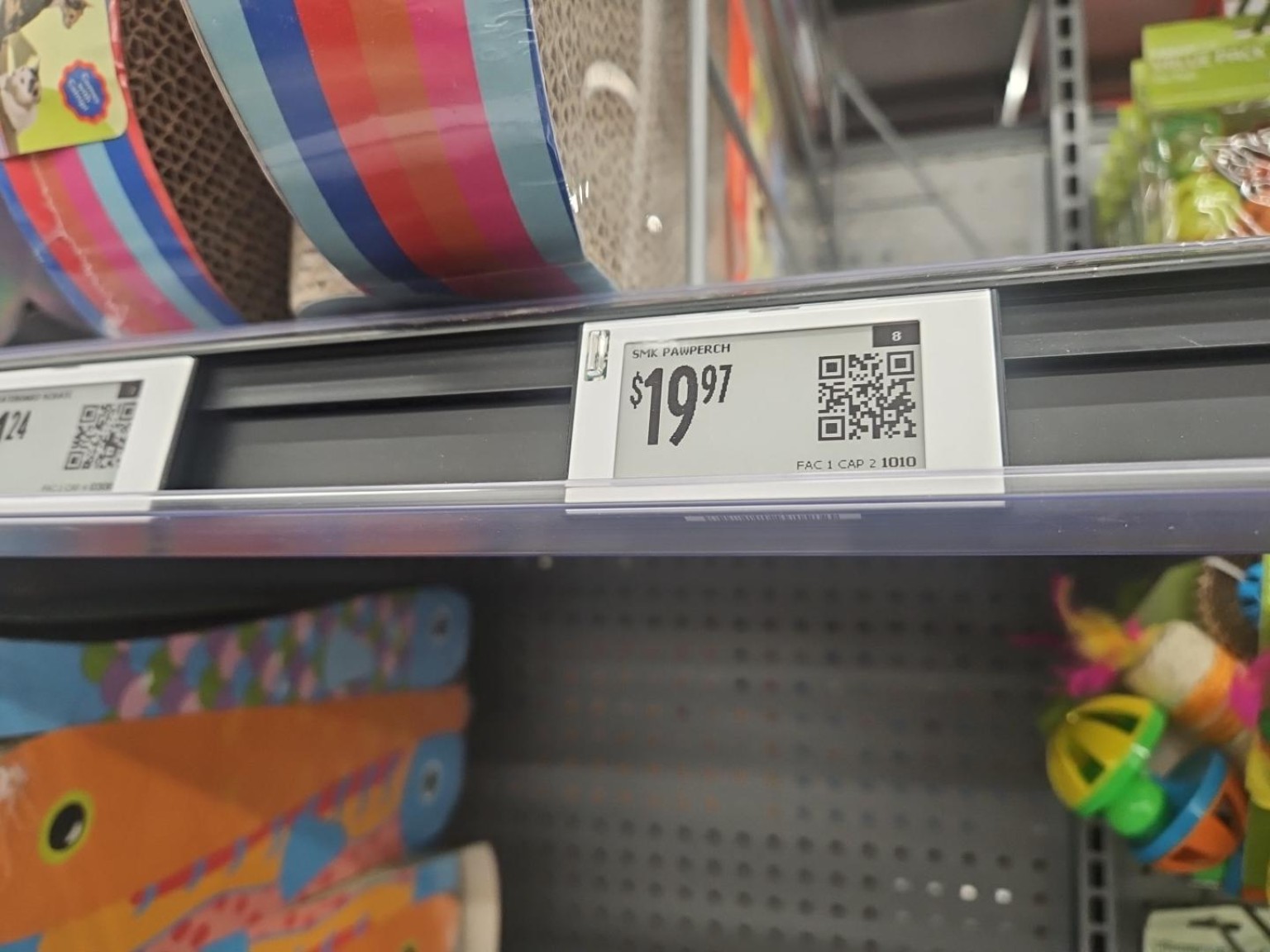
It started, as many serious technology investigations do, with a 7:30 PM Friday night Walmart trip because my daughter had done research on a cat bed.
Not "looked it up once" research. Real research. The kind where a parent is basically reduced to logistics support and wallet proximity.
We got to the aisle. We looked around. We did the normal retail dance: scan the shelf, scan the endcap, scan the app, question every life choice that led to being in Walmart on a Friday night looking for a cat bed with the intensity of a federal procurement exercise.
Then my daughter did something on her phone.
And the price tag blinked.
Not the aisle sign. Not some general area. The actual shelf label for the item lit up.
We both stopped.
Because that was cool.
And yes, I know. I spend a lot of time trying to force myself to produce "real value." Use cases. ROI. Customer outcomes. Responsible business framing. All of that matters. But every once in a while, you need to give yourself permission to follow the thread because something in the real world just made your brain light up.
This was one of those moments.
The shelf had answered the app.
That is the whole story.
And it is also not the whole story at all.
The Important Part Is Not the Price Tag
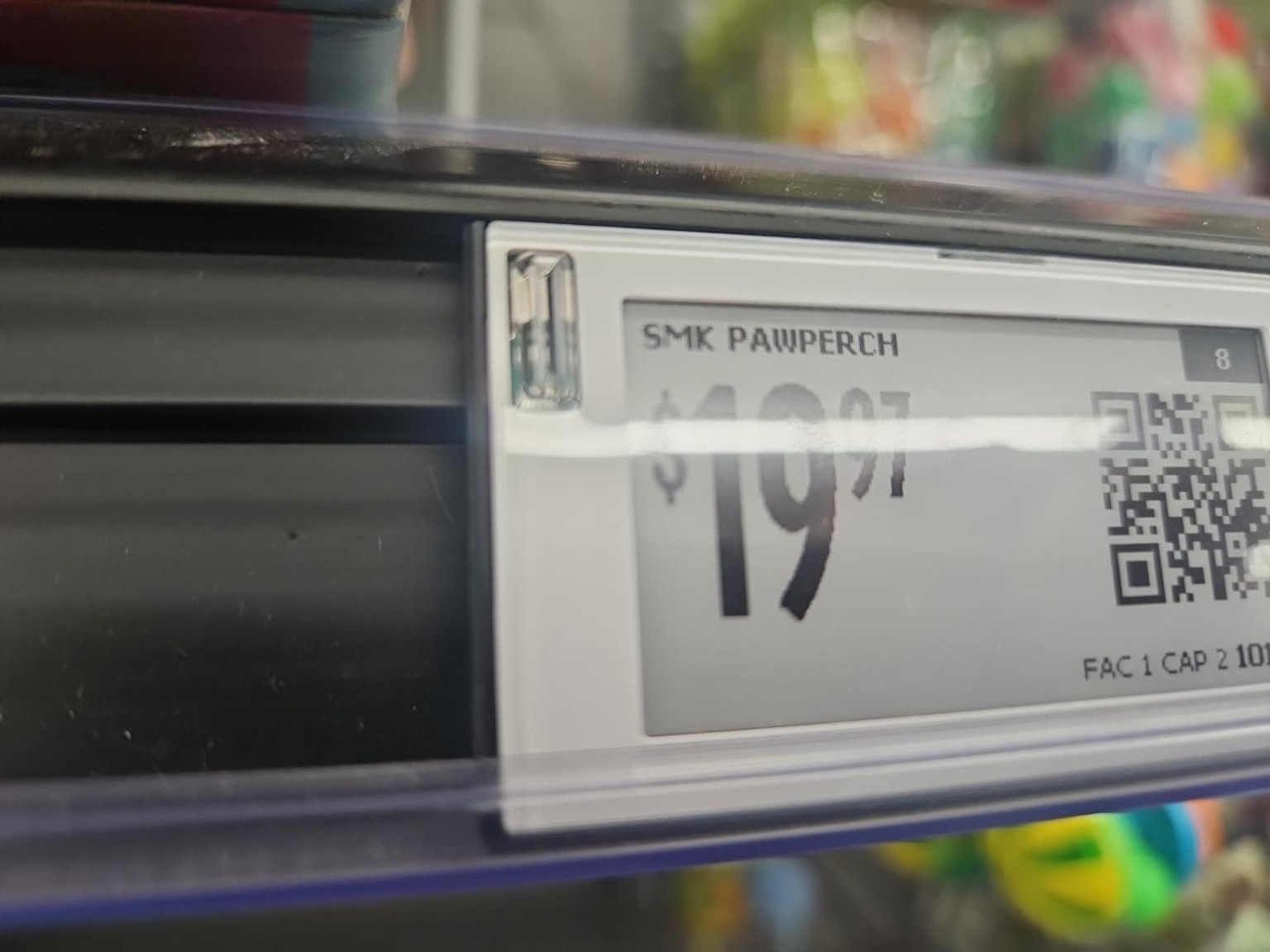
Walmart calls these digital shelf labels, or DSLs. They are electronic shelf-edge displays that replace paper price tags. Walmart has said it is expanding the technology to 2,300 stores by 2026, and that the labels are developed with VusionGroup. Walmart describes the operational benefits plainly: faster price updates, Stock to Light for associates restocking shelves, and Pick to Light for online order fulfillment.
That is useful.
But the interesting part for NoodleNet is not "paper tag becomes screen."
The interesting part is this:
``text customer app -> Walmart backend -> store/product-location system -> shelf network -> specific digital label -> visible flash ``
For that little blinking light to happen, Walmart needs a mapping that looks something like this:
``text SKU -> store -> aisle/section/shelf position -> label/device ID ``
That mapping is the case study.
The physical shelf position has become software-addressable.
Why That Matters
A traditional inventory system can say, "We have this item."
A better inventory system can say, "We have this item in this store."
A planogram can say, "This item should be on this aisle, in this section."
But a digital shelf label system can go further:
"This product, in this store, at this physical shelf position, is attached to this specific addressable endpoint."
That is a different kind of business infrastructure.
Once a physical object or location has identity, software can do more than describe it. It can act on it.
It can update a price. It can guide an associate. It can help a shopper find the right item. It can create an event record that says someone searched, located, triggered, restocked, picked, or updated something at a particular place and time.
That does not require spooky claims. In fact, the non-spooky version is stronger.
Walmart says its digital shelf labels are closed-system displays with no cameras, microphones, or facial recognition, and that the labels themselves do not track customers or collect personal data. Good. That boundary matters.
The exciting part is not surveillance.
The exciting part is operational context.
The Data Behind the Blink
When a shelf label blinks from a phone action, several datasets are probably meeting each other:
- Product data: SKU, item name, category, price, promotions, variants.
- Store data: store ID, aisle, section, department, zone.
- Planogram or location data: where the product is supposed to live.
- Device data: label ID, battery or network status, assignment state.
- Inventory and fulfillment data: availability, pickup logic, restock workflows.
- Event data: search, locate request, flash command, timestamp, outcome.
That is where AI gets interesting.
AI does not become useful here by saying, "I am a chatbot for retail."
It becomes useful when it can reason over the relationships:
- This SKU is often searched but hard to find.
- This shelf position gets frequent locate events.
- This product moved in the planogram but the label assignment looks stale.
- Associates keep using Stock to Light for the same location.
- Customers search for the product name, but the item is labeled under a different category.
The intelligence is not magic. It is accumulated context.
That is the NoodleNet pattern.
``text physical thing -> digital identity -> location -> state -> event history -> business context -> software action -> agentic action ``
The more honest version of AI is not "the model knows everything."
The better version is "the system remembers enough useful context that an AI can help operate the environment."
What This Looks Like in NoodleNet
I would love to sink a version of this into NoodleNet.
Not because I need a Walmart-scale shelf system in my office. I do not. I need the pattern.
Imagine a small-business or lab version:
``text NoodleNet -> asset record -> location record -> project context -> device endpoint -> visible indicator ``
Example:
``text Object: Raspberry Pi Zero Location: Shelf B / Bin 7 Status: Available Related project: StoryShellOS Indicator device: TAG-B-007 ``
Then you ask:
"Noodle, where is the Pi Zero I bought for that prototype?"
Noodle answers:
"Shelf B, Bin 7, tagged to the StoryShellOS hardware test project."
Then the bin flashes.
That sounds small until you think about how much business work is lost to "where is that thing?", "who touched it last?", "which project was it for?", "did we already buy one?", "what is the current state?", and "can someone point me to the exact object?"
For a small business, school, studio, warehouse, shop, content operation, or home lab, the same pattern applies:
- Give the object an identity.
- Give it a location.
- Connect it to business context.
- Track useful state.
- Preserve event history.
- Let software trigger a real-world action.
That is not a gimmick. That is operational memory.
The Real Lesson
The blinking price tag was fun.
The architecture behind it is the lesson.
When physical things become software-addressable, AI can stop being trapped in documents, dashboards, and chat windows. It can start helping with the world the business actually operates in.
That is the part I keep coming back to.
Not "AI wrote a memo."
Not "AI summarized a file."
But:
"AI knows which object matters, where it is, what it is connected to, what happened before, and what action can happen next."
That is the future I care about.
And apparently, all it took to make me chase the thread was a cat bed, my daughter's better-than-mine shopping research, and a tiny blinking light on a Friday night.